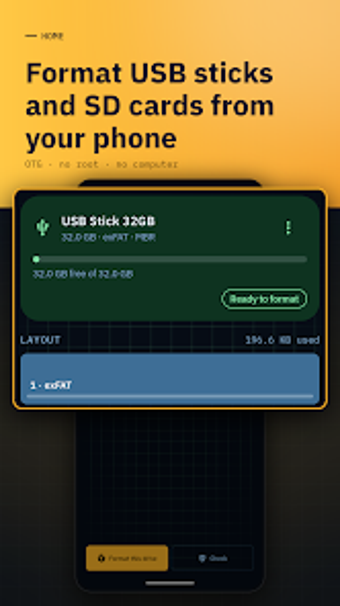
DriveForge: Mobile tool to format USB and SD cards
Experience formatting and verification of USB drives and SD cards directly from your phone, including real progress and post-format checks. DriveForge: USB & SD Formatter, from ByteHaven Studios, runs on Android and targets photographers, IT technicians, and mobile power users. It supports common filesystems, a fake-capacity test, and read/write benchmarks, and it presents mandatory confirmations so users can manage external storage without a computer.
DriveForge formats and verifies external media without root access
DriveForge formats USB flash drives and SD cards on Android and supports exFAT, FAT32, FAT16, and ext2/3/4 in the free build, with NTFS noted as available in the Pro tier. The app performs a verification pass after formatting that reads the volume back to confirm success, and it shows real progress bars during long operations.
System impact stays focused on the connected device rather than the phone
The tool operates over USB On-The-Go, so processing happens over the OTG link to the attached drive rather than by mounting a local image; no root is required. Read/write benchmarks deliberately use only free space to avoid overwriting existing files, and the app's design excludes ads and trackers, which keeps it operating offline and reduces background network activity.
Safety features reduce the risk of accidental data loss
The interface enforces mandatory confirmation steps that display drive name and size before any erase, and filesystem error checking can repair FAT and exFAT volumes. A fake capacity test writes across every sector to detect fraudulent flash drives, and the post-format verification reads the freshly formatted volume to ensure the medium is actually usable.
Advanced options require technical knowledge or the Pro upgrade
Partition management, GPT/MBR support, and multiple partition creation are listed as Pro features, which places deeper disk layout tasks behind the upgrade. Casual users can run basic formats and benchmarks without advanced settings, while photographers and IT staff get the extended tools if they accept the extra tier for NTFS and multi-partition control.
A practical on-device formatter for technical mobile users, with one clear trade-off
DriveForge suits photographers and technicians who need offline, privacy-minded formatting and verification on Android devices. It handles formatting, fake-capacity testing, and repair tasks with transparent progress and confirmations. The main trade-off is that advanced filesystem and partition options such as NTFS and multi-partition management live behind the Pro upgrade, which limits deeper disk work in the free build.